
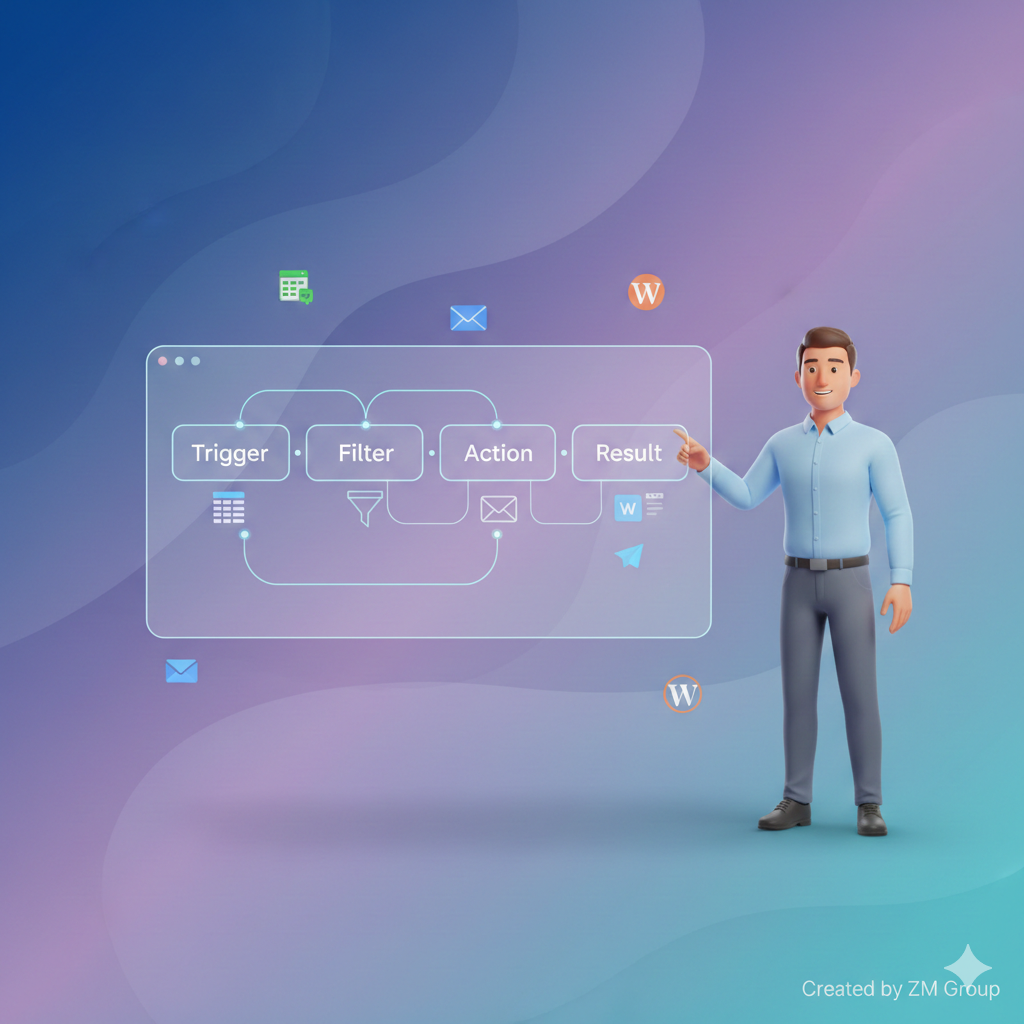
Automation used to mean “learn coding first.” In 2025, tools like n8n make it possible to automate repetitive work using a visual workflow builder — even if you’re a beginner.
In this guide, you’ll learn what n8n is, how it works, and how to build your first automation step-by-step (without writing code). You’ll also learn beginner mistakes to avoid, how to run workflows reliably, and how to scale automations as your website and content grow.
TL;DR (Quick Summary)
- n8n is a visual automation tool that connects apps (Google Sheets, Gmail, WordPress, Telegram, etc.) using workflows.
- You build automations by dragging nodes and connecting them — no coding required for most use cases.
- Best beginner workflows: Form → Google Sheet, RSS → WordPress post, Email → Slack/Telegram alert, Schedule → Social posting.
What Is n8n?
n8n (short for “node-node”) is an automation platform that lets you connect services and automate tasks using a visual editor.
You can use n8n to:
- Auto-publish blog content
- Move data between tools (Sheets → WordPress)
- Send alerts (Email → Telegram)
- Schedule repetitive tasks (daily post → social)
- Build simple “if this happens, do that” automations
n8n vs Zapier (Beginner View)
- Zapier: very beginner-friendly, but can get expensive as you scale.
- n8n: more flexible and scalable, especially when self-hosted.
How n8n Works (Simple Explanation)
Every n8n workflow has:
- Trigger (starts the workflow)
Examples: Schedule, Webhook, New Google Sheet row, New Email. - Actions (what happens next)
Examples: Create WordPress post, Send message, Update spreadsheet. - Logic (optional)
Examples: If/Else conditions, filters, delays, loops.
Think of it like building a pipeline:
Trigger → Step → Step → Result
What You Need Before You Start (Beginner Checklist)
Option A: Use n8n Cloud (Easier)
- No server setup
- Quick start
- Great for testing
Option B: Self-Host n8n (Best long-term)
If you want reliability and control, you’ll want a stable hosting setup.
👉 Recommended hosting for automation + websites:
🔗 Secure Hostinger (Fast + Reliable for Online Projects)
Step-by-Step: Build Your First n8n Workflow (No Coding)
Goal: Daily “Task Reminder” to Email (Simple Starter Workflow)
Step 1: Create a New Workflow
- Open n8n dashboard
- Click New Workflow
Step 2: Add a Trigger Node
- Add Schedule Trigger
- Set it to run daily (example: 9:00 AM)
Step 3: Add an Email Node
- Add node: Email / Gmail / SMTP
- Write a simple message:
- Subject: “Daily Reminder”
- Body: “Here are today’s tasks…”
Step 4: Connect Trigger → Email
- Drag the line to connect nodes
- Click Execute Workflow to test
- Turn workflow Active
✅ That’s your first automation — no coding.
Beginner Workflow Ideas (Most Useful)
1) Google Sheets → WordPress Auto Draft
- Trigger: New row in Google Sheets
- Action: Create WordPress post as draft
- Optional: Add category + tags automatically
2) RSS Feed → Social Post
- Trigger: RSS new item
- Action: Create post in Buffer / Telegram / Discord
3) Website Form → Email + Spreadsheet
- Trigger: Webhook form submission
- Action: Save to Google Sheets + send email alert
4) Affiliate Deals Tracker (Great for your niche)
- Trigger: Schedule daily
- Action: Pull product list → format caption → post to social
Best Practices for Reliable Automations (Very Important)
✅ 1) Use a Stable Hosting Environment
Automations need uptime. If your workflow stops, your content and posting stops.
👉 Reliable option for hosting your projects:
🔗 Unlock Hostinger Deals (2025)
✅ 2) Add Error Handling
- Use “Continue on Fail” where needed
- Add notifications (Telegram/Email) when a workflow fails
✅ 3) Keep Workflows Modular
Instead of one huge workflow, split into:
- Workflow A: Collect data
- Workflow B: Clean data
- Workflow C: Publish
✅ 4) Log Everything
Store key events in a Google Sheet:
- Time, status, output, error message
Common Beginner Mistakes (Avoid These)
- Running too many workflows at the same time without monitoring
- Not saving credentials correctly (Google tokens expire)
- No fallback if API fails
- No logging
- Trying to automate everything on day one
Start small, stabilize, then expand.
FAQs (SEO Keywords + Beginner Questions)
Is n8n free for beginners?
Yes — self-hosted n8n is commonly used as a cost-effective option. Cloud plans may have limits depending on your usage.
Do I need coding to use n8n?
Not for most beginner automations. The visual editor covers 80% of use cases.
Can n8n post to WordPress automatically?
Yes — you can create drafts or publish posts via WordPress nodes and API connections.
Is n8n good for affiliate automation?
Yes — you can automate tracking links, generating captions, and scheduling posts (always follow platform rules and add disclosures).
You may also explore these helpful categories:
Affiliate disclosure: Some links in this article are affiliate links. If you purchase through these links, I may earn a commission at no extra cost to you.